Made for iPhone, iPad & Mac

A perfectly simple writer's tool

If you read books using your Kindle or a similar eInk device, you know how different it feels from looking at a screen of a phone or a computer. But why just read? Why not write?

Enter the flow

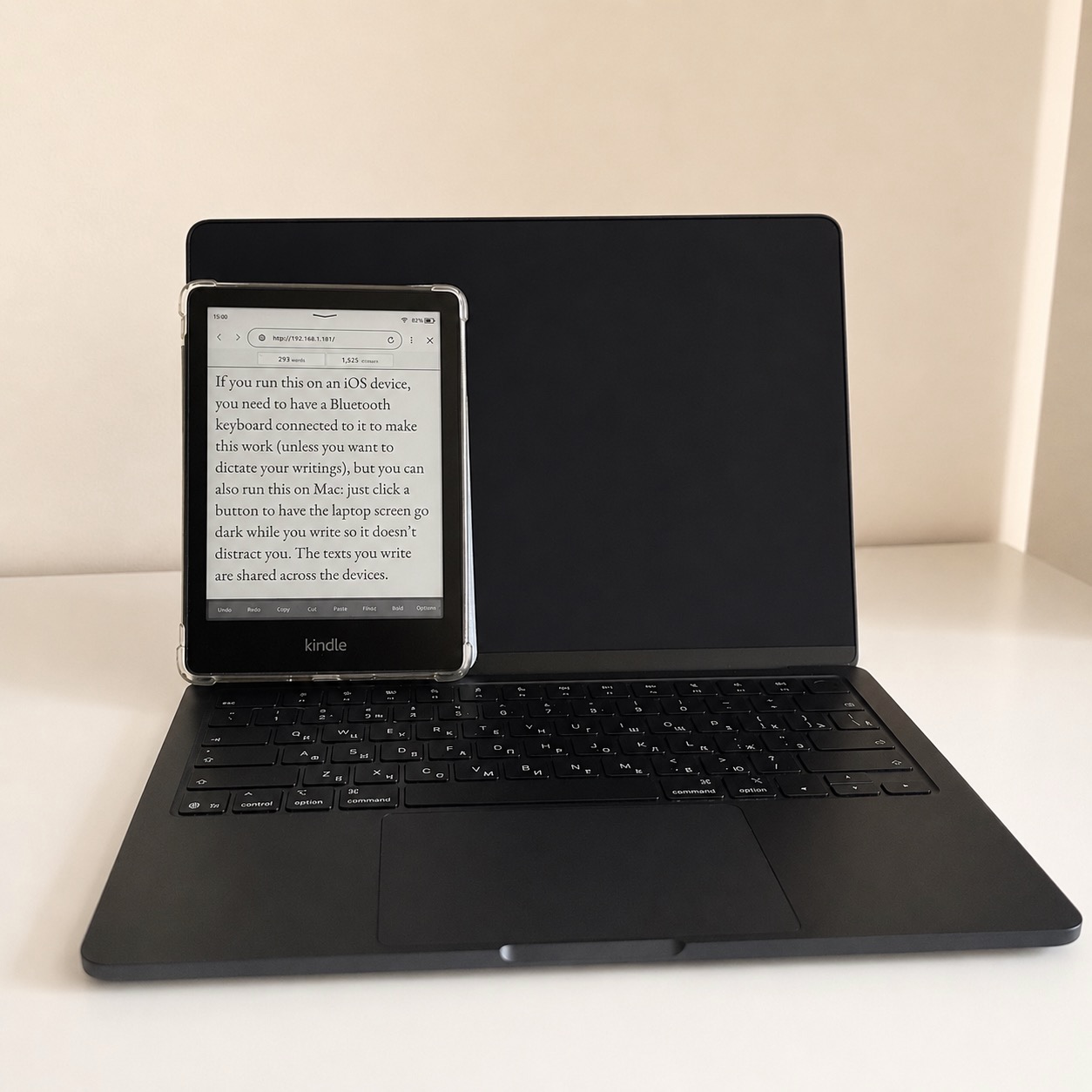
With inkScript, you turn your e-book into a screen for a distraction-free writing application. Not just a screen to look at, but a screen you can touch to move the cursor, to select a piece of the text for copy-pasting etc.

You can also choose your font and turn on the “flow mode” to write a first draft with limited editing. You can even make it sound like a typewriter.
Work anywhere

Your text is stored on your phone or your laptop, but you will be able to complete a text without once looking at either screen. The iOS version requires a Bluetooth keyboard to be connected to your device, but you can also run this on Mac: just click a button to have the laptop screen go dark while you write so it doesn’t distract you. The texts you write are shared across your devices.

Keep working on your drafts

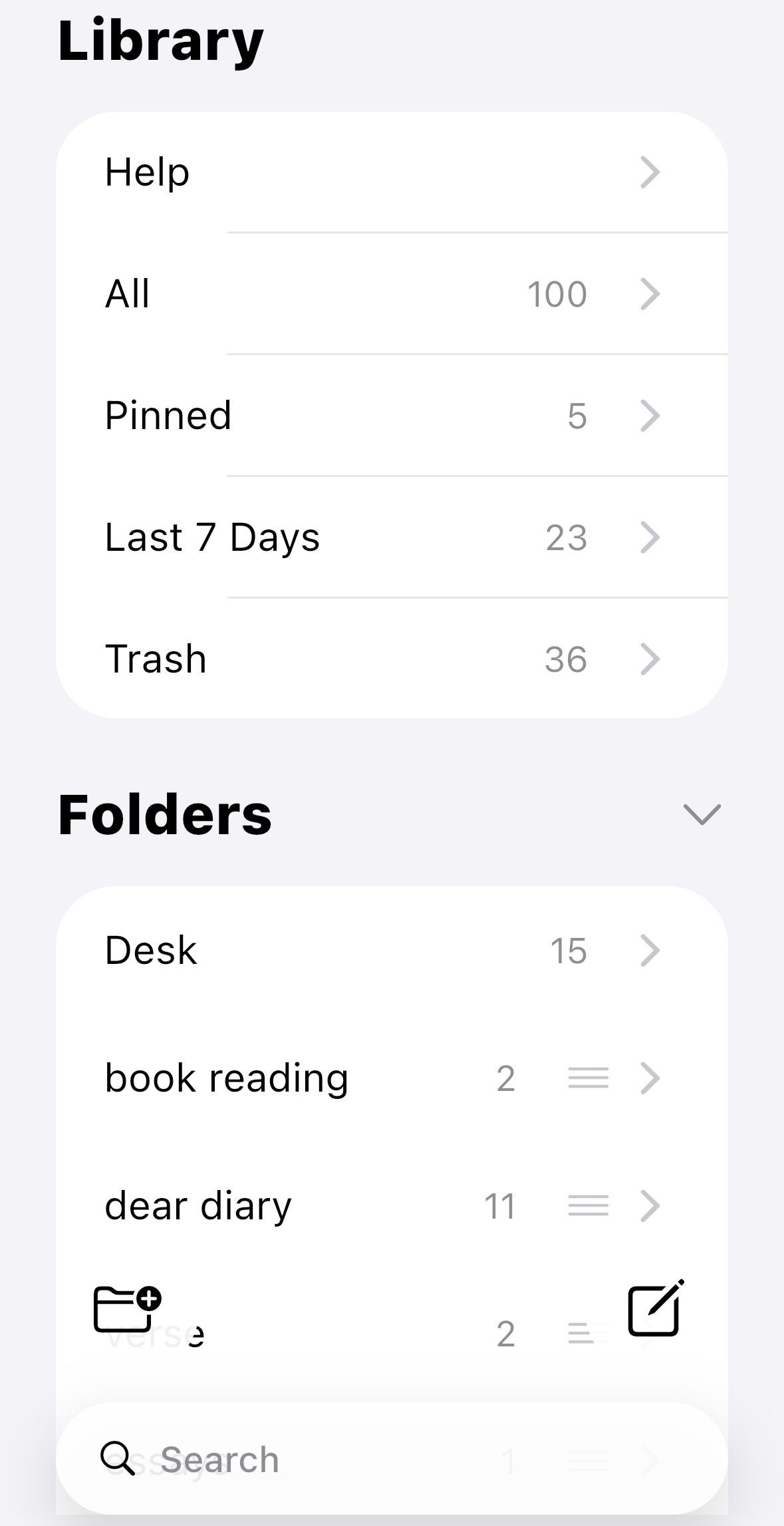
inkScript also helps you organize your texts into folders, pin the drafts you are currently working on, and search across the texts.